.webp)
.webp)
.svg)
.webp)
.svg)
.svg)
The Google Maps scraper that uncovers every local business, not just the obvious ones
Most Google Maps scrapers give you the exact same results everyone else is targeting. Marwin is different.
.webp)
.webp)
.webp)
.webp)

We have 12,000+ happy customers and have extracted



What Marwin customers say
12,000+ companies and professionals choose Leads-Sniper to grow their business. Here’s why.

.webp)







The problem with traditional Google Maps scrapers
If you’ve used a Maps scraper before, you’ve probably noticed at least one of these issues:
❌ Everyone else is targeting the exact same businesses
❌ Searches are forced into rigid categories
❌ Chrome extensions slow down, crash, or get throttled
❌ Massive untapped local TAM is completely missed
That’s not a data problem. That’s a methodology problem.

How Marwin is different
Easy to use, our Google Maps Scraper tool is user-friendly and does not require any technical expertise to use. This makes it easy for anyone to collect and analyze data from Google Maps.
.webp)
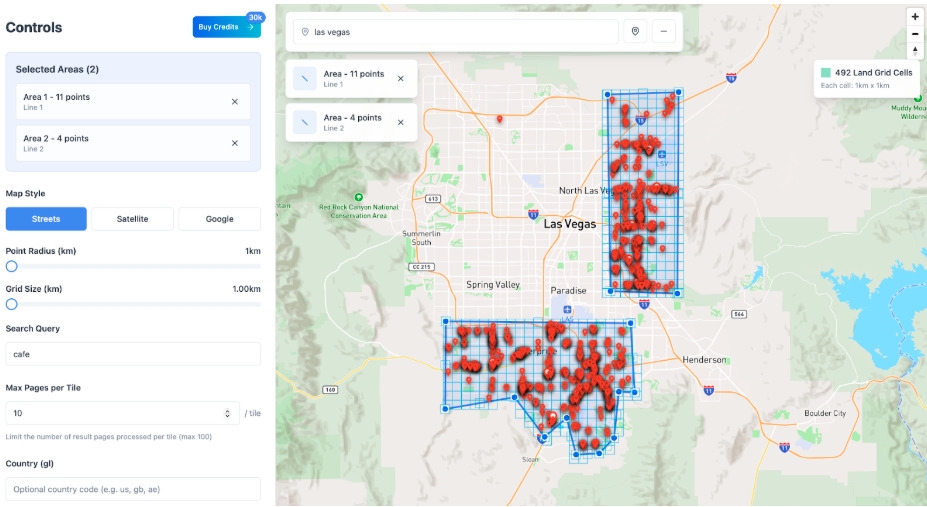
Intelligent grid-based scraping with precise geo-targeting
.webp)
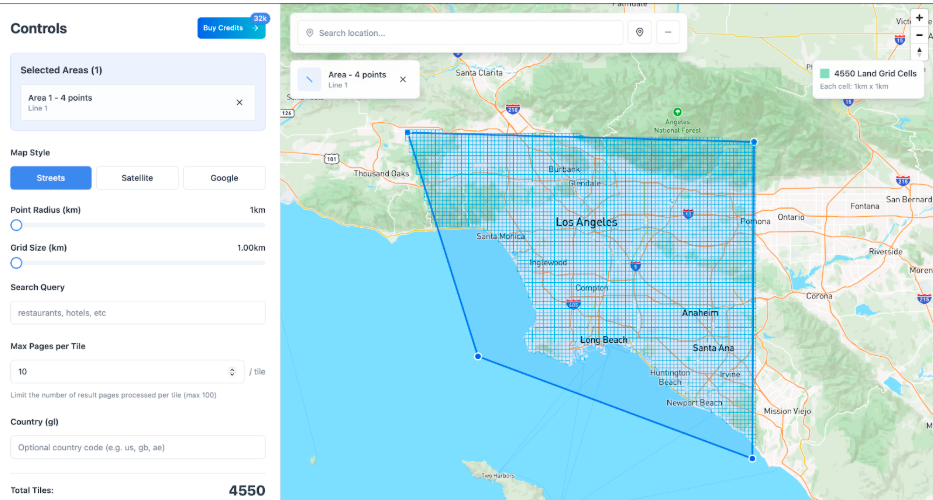
Instead of scraping an entire city, county, or postcode in one go, and only returning the highest-ranked listings, Marwin lets you define an exact geographic area, then:
- Splits that area into 1km grid tiles
- Scrapes each tile independently
- Extracts every business Google shows in that micro-location
You’re no longer limited by:
- Google’s ranking bias
- oversized search radiuses
- vague location targeting
Result: deeper coverage, higher lead volume, and far less competition.
.webp)
Free-text searches (no category limits)
.svg)
Other tools force you to choose restrictive categories like:
“Plumber”, “Dentist”, “Restaurant”
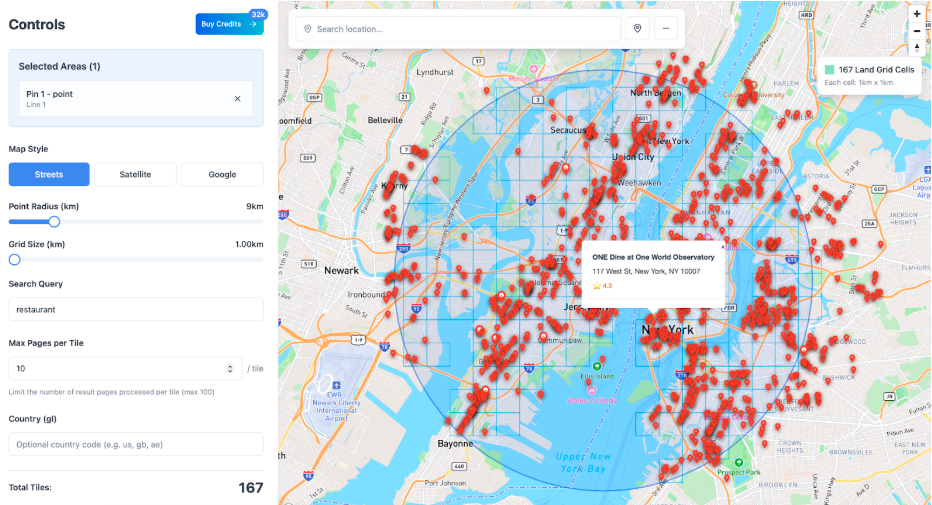
Marwin.ai allows free-text searches, so you can target:
- niche businesses
- uncommon naming patterns
- local wording competitors miss
You define the intent.Not a locked category system.
.webp)
No Chrome extensions. No plugins.
Marwin.ai runs entirely on a server-side scraping engine.
That means:
- No browser slowdowns
- No extension bans
- No manual babysitting
- No scraping only what’s visible on your screen
Just clean, scalable extraction, built to run properly.
.svg)
How it works
Download, install, and unlock the potential of our Google Maps Scrapper in seconds.

Effortlessly explore potential leads with just a few clicks.

One-click export for streamlined lead management. Leads Sniper—your shortcut to success.

One-click export for streamlined lead management. Leads Sniper—your shortcut to success.
No scraping limits.
No guessing.
for free

What you can extract
Marwin.ai pulls structured, usable data directly from Google Maps, including:
- Business name
- Full address & precise location data
- Websites & domains
- Categories
- Ratings
- Latitude & longitude
- Place ID
Export your data in CSV or JSON and plug it straight into your outreach, CRM, or enrichment stack.
Why this matters for lead generation
Most people scrape Google Maps and think they’ve “exhausted” a market.
In reality, they’ve only scraped:
- the most competitive listings
- the most search engine optimised businesses
- the same businesses everyone else is targeting
Marwin.ai helps you:
- expand your true addressable market
- target exact neighbourhoods, not vague areas
- reach overlooked local businesses
- run outreach where response rates are higher
- avoid inbox saturation from recycled lead lists
Use cases for scraping Google Maps
With our scraper, you can quickly gather data about your competition or find new leads. It’s the perfect tool for anyone who wants to conduct market research or get more out of their Google Maps data.
.svg)
Extract hyper-local businesses at scale for cold email, cold calling, or direct mail, without fighting over the same leads as everyone else.

Build deeper, more complete datasets for clients instead of delivering recycled “top results” lists.

Understand actual business density by area, not just who ranks best on Maps.

Identify underserved neighbourhoods and opportunities hidden inside large postcodes or cities.
.svg)
.svg)
Google Maps scraper will extract 60+ fields
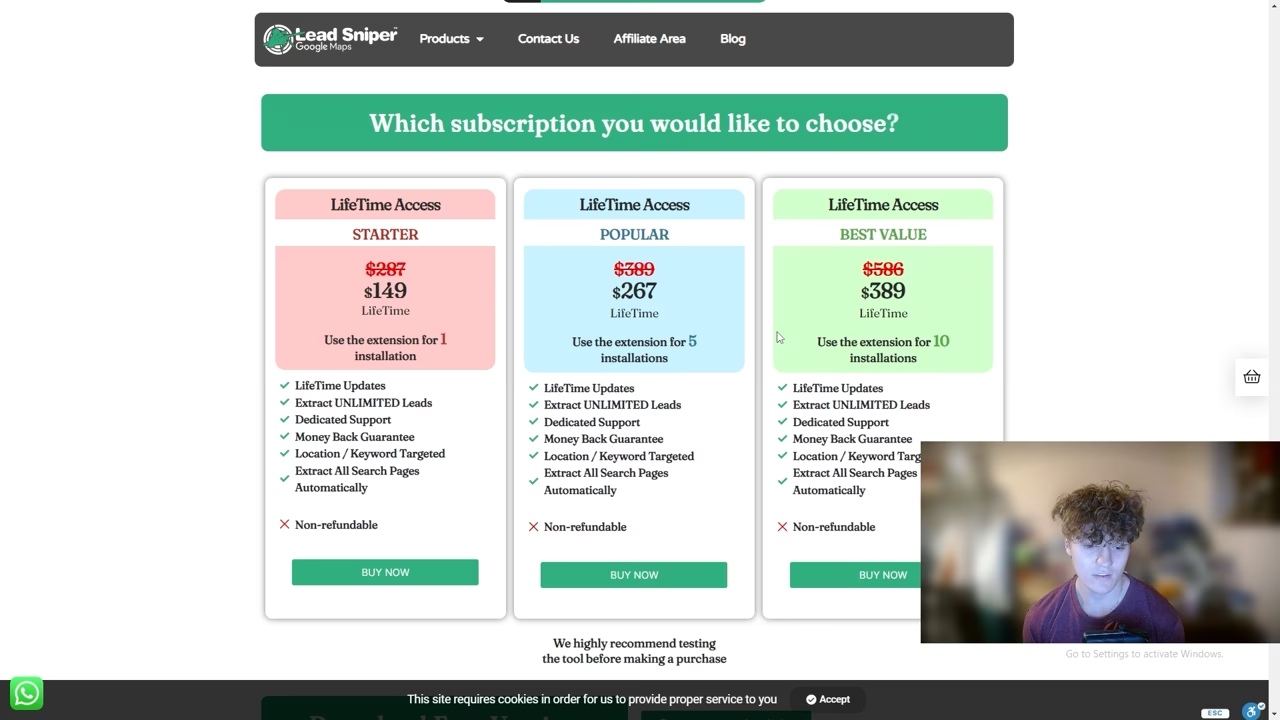
Scale with enhanced savings
Up to 70% off with scalable enterprise discounts. One payment for lifetime access and updates, no renewals ever. Pay your way: credit card, PayPal, or crypto.
.webp)
.webp)
.svg)
.svg)
.webp)

Built for scale
Marwin.ai is ideal for:
- Agencies
- SaaS founders
- Growth teams
- Lead sellers
- Data-driven outbound teams
If you care about precision, coverage, and data quality, this tool is built for you.
FAQ
.webp)
No. Marwin.ai runs on a server-side scraping engine, so you don’t need proxies, VPS setups, RDPs, or Chrome extensions. Everything is handled automatically in the background.
Yes. Marwin.ai lets you define an exact area on the map rather than scraping an entire city or postcode.
That area is then automatically divided into 1km grid tiles, and each tile is scraped independently. This ensures you capture every business in that location, not just the top results Google shows for large areas.
For lower-density or rural locations, you can increase the grid size up to 25km tiles to cover wider areas more efficiently.
Yes. Marwin.ai supports free-text searches, not just predefined categories. This allows you to target niche business types, uncommon naming patterns, and local wording that category-based tools often miss.
For best results, we recommend using 5 related keywords per scrape, separated by commas. Marwin.ai automatically de-duplicates results across all keywords, so each business is only returned once.
Example (Restaurants):
Instead of relying on a single category, you could use the following keyword set in one scrape:
restaurant, food, kitchen, cafe, grill
Marwin.ai will search all five keywords across the defined grid area, de-duplicate overlapping listings, and return a single, clean list of unique businesses. This approach maximises total addressable market (TAM) while avoiding duplicate results and over-targeted businesses.
Marwin.ai works anywhere Google Maps is available, across all countries and languages.
By default, the country setting is United States (us). For best results when scraping locations outside the US, especially in non-English-speaking countries, we recommend updating the country setting to match the local country and using the local language in your search query.
Aligning the country setting with the location and language you’re targeting helps Google return the most relevant local businesses and ensures more complete, accurate results.
Depending on availability, Marwin.ai can extract:
- Business name
- Full address & precise location data
- Website & domain
- Categories
- Ratings
- Latitude & longitude
- Place ID
All data can be exported in CSV or JSON format.
Email addresses are not listed directly on Google Maps.
If you want to find decision-maker email addresses, Marwin.ai is best used as the lead source, then combined with an enrichment tool (such as Clay) to enrich those businesses with decision-maker contacts.
This approach gives you cleaner data, better accuracy, and far stronger results for outbound campaigns.
Yes. Review count and average rating data are included where available on Google Maps.
No. Marwin.ai is designed for large-scale extraction without artificial lead caps.
Yes. Marwin.ai is built for agencies, SaaS companies, growth teams, and lead sellers who need reliable, repeatable, and scalable data extraction.
No problem. Your access isn’t tied permanently to a single machine. If you need to move or reset access, support can help.
.png)
Instead of scraping a massive area and returning only Google’s top-ranked listings, Marwin uses an intelligent grid-based mapping system that lets you geo-target exact locations, scraping tile by tile to extract every possible business, even the ones your competitors never see.
.webp)
.webp)
.svg)
.webp)
No time to scrape leads?
Our team can do it for you. Send us your requirements and get a free quote for your project.